Watch folders
A watch folder submits jobs automatically for each file that arrives in a monitored directory. Folders are managed on the dedicated Watch Folders page; review the failure modes below before pointing one at production media.
A watch folder removes the operator from the submission loop. For a single editor it replaces a repeated manual task; for a facility it is the primary ingest mechanism, because typing paths does not scale to two hundred deliveries a day.
Watch folder behaviour#
The master service polls each configured folder for new media. When a file appears that matches a folder's rule, jobs are submitted for it automatically — one job per deliverable the rule declares, written to the location that deliverable's output template specifies.
Watch folders are managed at /watch-folders, a dedicated administrative page in the web console's Production navigation group.
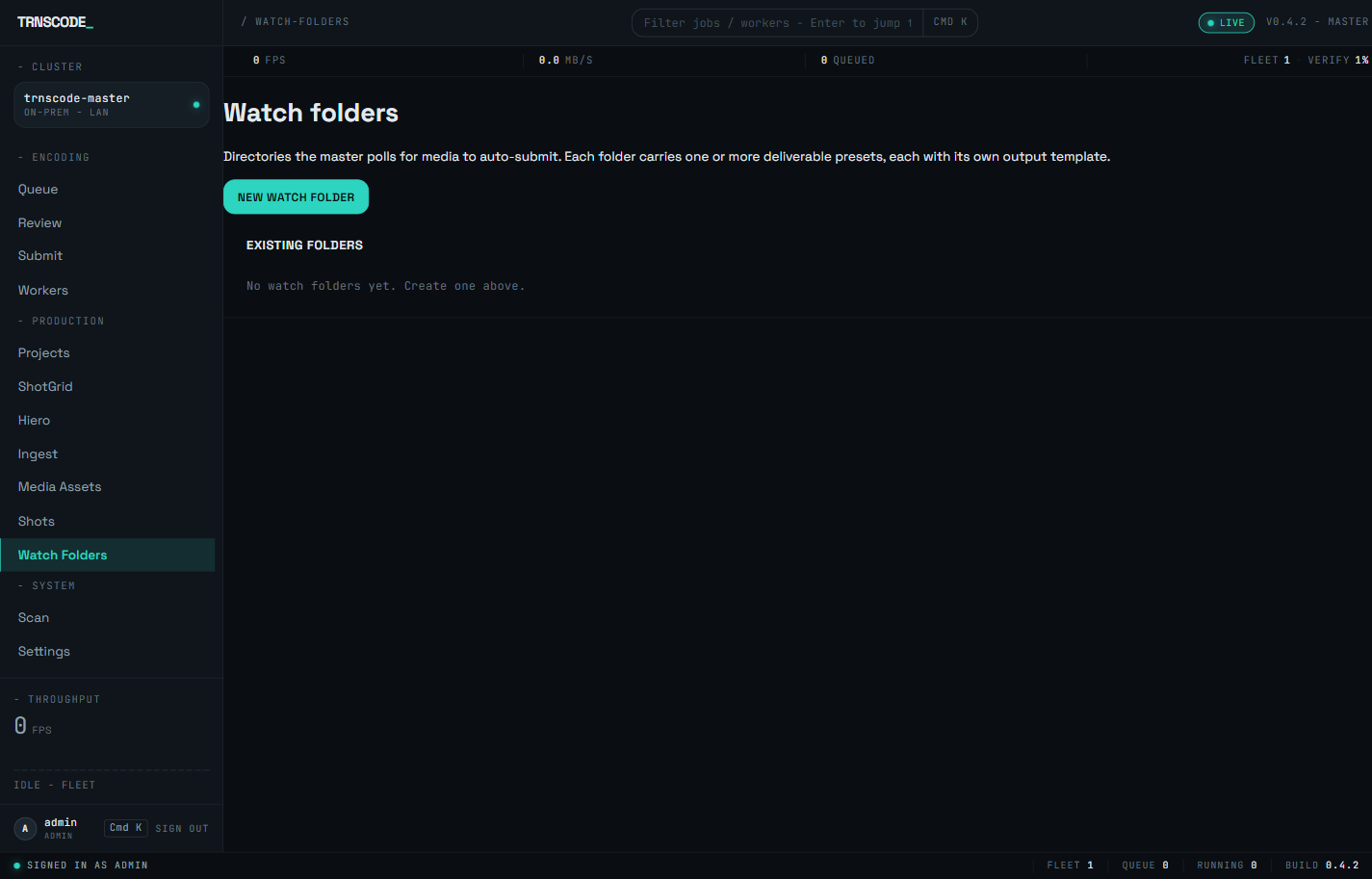
Everything else behaves like a job submitted by hand — the same chunking, the same distribution across the fleet, the same verification before the job is marked complete. A watch folder is an automated submission path, not a separate pipeline.
Watch folders were formerly configured from a panel inside Settings. That panel is retired; the legacy /watch-rules route redirects to /watch-folders, so saved links continue to resolve.
Rule components#
Each folder's rule ties five components together.
| Component | Function |
|---|---|
| Folder | The directory being watched. The master must be able to read it. |
| Pattern | A glob that determines which files qualify — *.mov, *.mp4, or * for everything. |
| Deliverables | The conversions produced from each matching file: one or more presets, each paired with its own output template. One job is submitted per deliverable. See Choosing a preset. |
| Localization sidecars | How dub audio and subtitle sidecars arriving alongside the media are handled, and whether any are required before the title submits. See Localization for the track model. |
| Active | Whether the rule is running. Deactivate rules rather than deleting them, so the configuration is retained. |
Each rule is scoped to a project, so a facility can run several watch folders with different treatments without interference. A single-user installation can operate within one project.
Held titles#
A rule that requires localization sidecars does not submit a title the moment its media file completes. The title is held until every required sidecar has arrived alongside the media.
The held-titles view on the Watch Folders page lists each file currently waiting on a required sidecar. When the outstanding sidecars arrive, the title submits automatically. The hold exists so a deliverable is never produced without the language tracks the rule declares.
A held title is not an error state; the rule is operating as configured — the folder has the media but not yet the tracks. If a title remains held longer than the delivery schedule allows, deliver the missing sidecars, or release the title manually as described below.
Manual scan and release#
Two manual actions supplement the automatic polling.
Polls the folder immediately rather than waiting for the next cycle. Use it after placing files by hand to confirm the rule picks them up without the polling delay.
Submits a held title without waiting for its outstanding sidecars. Release is an explicit operator decision: the resulting deliverables carry only the tracks that were present at release.
Partial-file detection#
A file appears in the watched directory the moment a copy starts, not when it finishes. Encoding it immediately would encode a fragment. Every watch-folder system must account for this failure mode.
Two defences run by default.
Files carrying an extension that transfer tools use for in-progress work are skipped. A partial file with a temporary extension is never a candidate.
A file whose size is still changing is not ready. The watcher waits for the size to stop growing before treating the file as complete.
Size stability is a heuristic, not a guarantee. A slow or stalled network copy can pause long enough to appear finished. If sources arrive over an unreliable link, do not rely on this check alone; use a sentinel.
Sentinel files#
To state explicitly that a file is ready rather than have the watcher infer it, write a marker file alongside the media. The watcher treats the marker as authoritative and skips the size check.
Use a sentinel whenever an upstream system knows when a transfer completed — a delivery script, a render manager, an ingest tool. Copy the media, then write the marker. No file is picked up until the marker exists.
Size inference is adequate when a person is dragging files. Automated systems should not rely on inference: when a system produces the files, configure it to signal completion rather than leaving the watcher to infer it.
Output naming#
Each deliverable's output path is built from a small template language. Four substitutions are available:
| Placeholder | Becomes |
|---|---|
{filename} | The full source filename — documentary.mov |
{basename} | The stem only — documentary |
{date} | UTC date as YYYY-MM-DD |
{preset_name} | The preset slug — youtube-1080p-h264 |
The template language is limited by design. An unknown placeholder is rejected with a message naming it, rather than producing a path containing a literal brace that surfaces later.
Colliding templates overwrite each other's output. A template using only {basename} writes two files with the same stem to the same place. If a folder can receive take01.mov and take01.mxf, or carries more than one deliverable preset, include {preset_name} or {filename} so the outputs stay distinct.
Operational notes#
- Test with one file. A misconfigured rule is wrong for every file that lands. Place a single file, run a manual scan, confirm the outputs, then enable the rule for production traffic.
- Do not watch a folder that also receives outputs. The output matches the pattern, is picked up, and is encoded again. Keep input and output directories separate.
- Narrow the pattern.
*matches sidecars, hidden files and any other file that lands in the directory. Match only the extensions you intend to process — a rule that requires localization sidecars must not also treat those sidecars as media. - Know the shutdown procedure. A misfiring rule can create dozens of unwanted jobs. Deactivate the rule, then cancel the jobs in bulk from the queue — see Monitoring jobs.