Install the master
The master service is distributed as a self-contained folder. There is no installer, no service to register, and no prerequisite software — not Python, not FFmpeg, not a database.
The master service holds the queue and serves the web interface. Install it on a machine that stays powered on. A fast machine is not required: the master coordinates rather than encodes. To encode on the same machine, run a worker alongside the master.
Bundle contents#
The download unzips to a self-contained folder. Nothing outside the folder is modified.
| Item | What it is |
|---|---|
master.exe | The complete service in one file: API, web interface, scheduler, and database driver. On macOS and Linux this is master. |
start.bat / start.sh | The launcher. Loads the settings file, runs database migrations, then starts the service. |
bin/ | Tested ffmpeg and ffprobe builds, plus oiiotool and ociobakelut for EXR work. Placed on PATH ahead of anything installed on the host. |
master.env.example | Configuration template. Copy it to master.env, or allow the setup dialog to write one. |
share/ocio/ | ACES studio config used by the colour-managed EXR paths. |
THIRD_PARTY_LICENSES/ | FFmpeg redistribution licenses. Keep this directory with the bundle. |
Install and start the master#
A local disk, an external drive, or a USB stick is acceptable. The installation is portable: the folder holds the program, its settings and its database together, so moving the folder moves the installation.
Do not place the bundle on a path controlled by a sync client such as OneDrive or Dropbox. The database is written continuously while the master runs, and concurrent writes from a sync client will corrupt it.
On Windows, double-click start.bat. On macOS or Linux, run the launcher from a terminal in that folder.
$ bash start.shOn first run, when no master.env is present, a setup dialog opens. It prompts for an administrator password and the ports to listen on, generates the signing secret, and writes master.env. The launcher then continues.
Choose a strong password. This account can view and control every job on the fleet.
When the console reports that the service is listening, open a browser on the same machine.
http://localhost:7443A fresh master blocks job submission and worker registration until its license is activated. On first boot the web console walks the required sequence in order: a forced change of the administrator password, then license registration and activation with a trnscode.com account, then sign-in. Have the account credentials ready; the states and the activation panel are covered in Licensing.
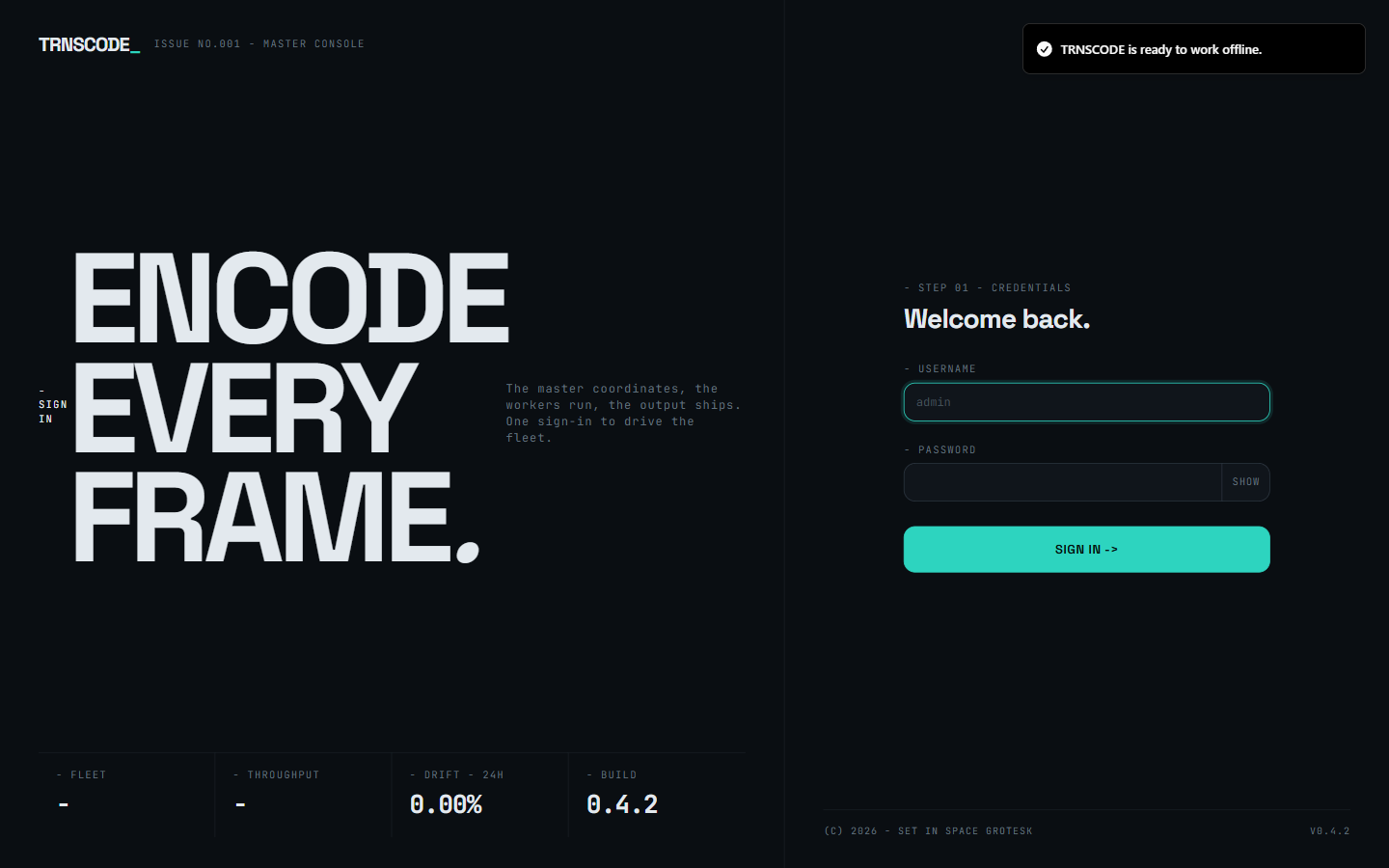
The master is running and its license is active. It has no workers yet, so it cannot encode. To add workers — including one on this machine — see Add a worker.
Verify the bundled tooling#
The executable carries more than the service: the image and colour tooling for EXR work and the font used for burn-ins ship inside it. One command confirms that every component resolves.
$ master probe-v-depsThe command prints one line per dependency — the image tool, the LUT baker, the ACES config and the font — each resolving to a path inside the executable, or MISSING with the variable that overrides it. It exits non-zero if any dependency is missing, which makes it usable as an automated deployment check.
On a standard install every line resolves. Run the command before the first VFX or colour-managed job to surface a missing dependency in advance.
Enable automatic start#
To start the master automatically after a reboot, register a login entry:
$ master autostart enableThis registers a per-user login entry and pins the executable's own directory as the working directory, so the environment file and database resolve exactly as they do when the service is started manually.
Ports#
The master listens on three ports. These determine the firewall rules required and the addresses workers and browsers connect to.
| Port | Protocol | Used for | Who connects |
|---|---|---|---|
7443 | TCP | Web interface, REST API, live progress | Your browser |
50051 | TCP | Worker control channel | Every worker |
5353 | UDP | Automatic discovery on the LAN | Workers looking for the master |
Configure the firewall#
On Windows, connections from other machines are blocked silently until firewall rules are added. The master provides a command that adds the rules. It prompts for elevation and is safe to run more than once.
> master.exe firewall-installOn macOS and Linux, open TCP 7443 and 50051, and UDP 5353 if automatic discovery is required, using the firewall the host runs.
Configure manually#
To configure the master without the setup dialog — for example over SSH, or in a scripted deployment — copy the template before the first run and edit it.
$ cp master.env.example master.env
$ openssl rand -hex 32 # paste into TRNSCODE_JWT_SECRET
At minimum, set the following three variables:
Signs the session tokens the web interface issues. Use 32 or more random bytes. Anyone who knows this value can mint a valid administrator session.
The bootstrap administrator password, used only to create the account on first run. Change it from the shipped default.
A shared secret every worker must present to join. Empty means open enrollment: any machine that can reach the port may register. Acceptable on an isolated lab network, not on a shared office LAN.
Master settings use a bare TRNSCODE_ prefix; worker settings use TRNSCODE_WORKER_. A worker setting placed in master.env is ignored without a warning. Confusing the two prefixes is the most common configuration error.
Data locations#
All state remains inside the bundle folder. There is no hidden application-support directory and no registry state.
| Path | Contents |
|---|---|
master.env | Settings, including the signing secret. Treat the file as a credential. |
data/trnscode.db | Jobs, chunks, workers, presets, users, and audit history. Back up this file. |
To back up the database while the master is running, use the built-in command rather than copying the file. A live SQLite database copied with a file manager can be captured mid-write.
$ master backup --out ./backups/2026-07-25.dbReset the administrator password#
If the administrator password is lost, stop the master and reset the password from the bundle folder. The database and job history are preserved.
$ master reset-admin-password "a new password"