Issue Nº.001 — Spring 2026
Cloud Transcoding Quarterly
Vol. 2 / The Pipeline

An encode
you can
audit.

— The pipeline

Five steps, one job ID. Submit a source in the console, pick a preset, and the master chunks it, fans it across the fleet, and verifies every chunk before it ships.

— The promise

Deterministic output. The same source and preset produce a byte-identical result whether one worker ran it or forty.

— Run it
Read the docs →
01
— Submit

Point it at
a source.

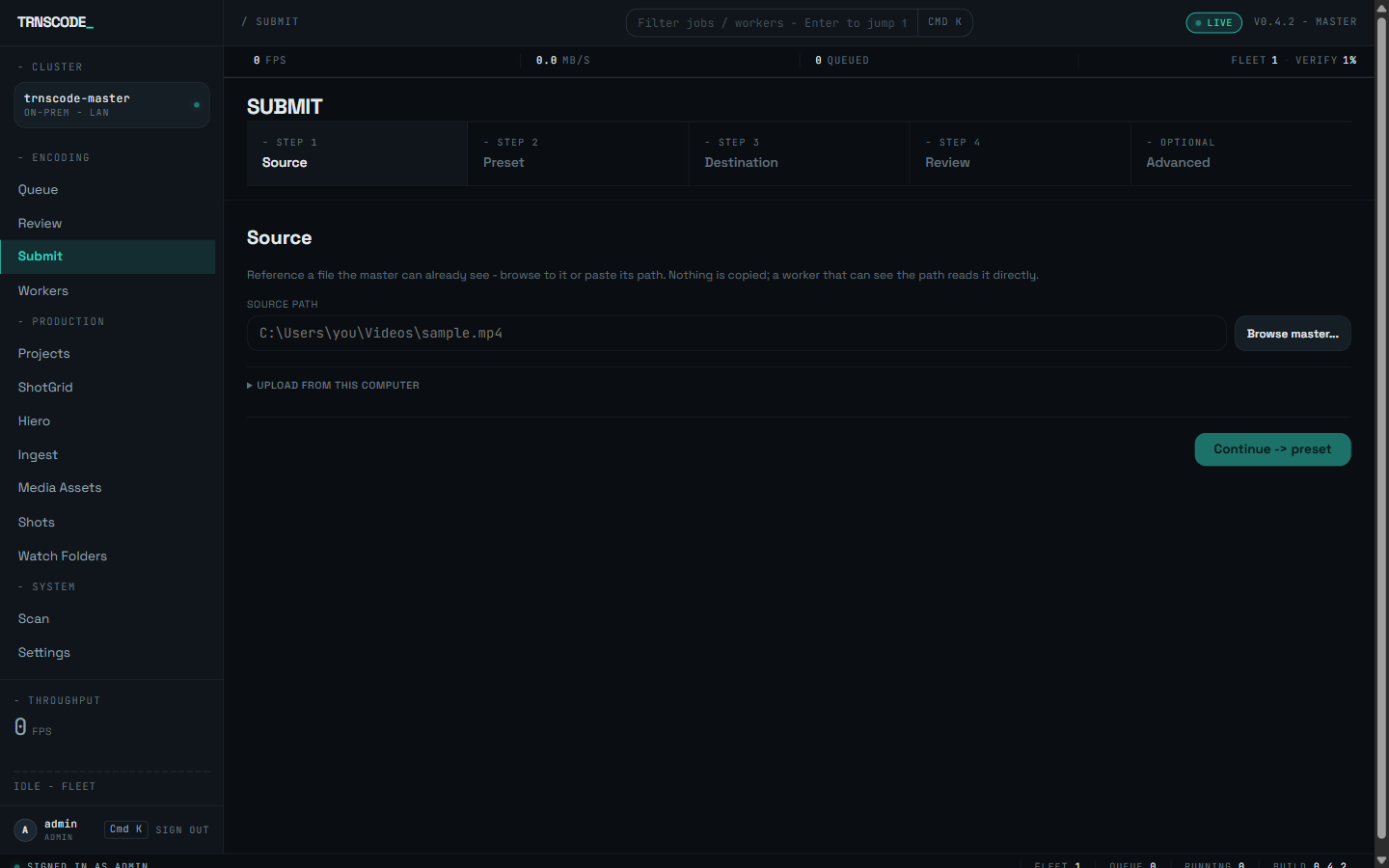
Open Submit in the console and browse to the file where it already lives, or paste its path — nothing is copied. Only have it on your laptop? Upload streams it to the master. No terminal, no API to learn: point, click, submit.

web consolebrowse in placewatch foldersnle plugin
The TRNSCODE web console Submit page — a four-step Source, Preset, Destination, Review wizard with a source-path field and a Browse master button.
Submit · Source — reference the file in place
02
— Preset

Choose the
deliverable.

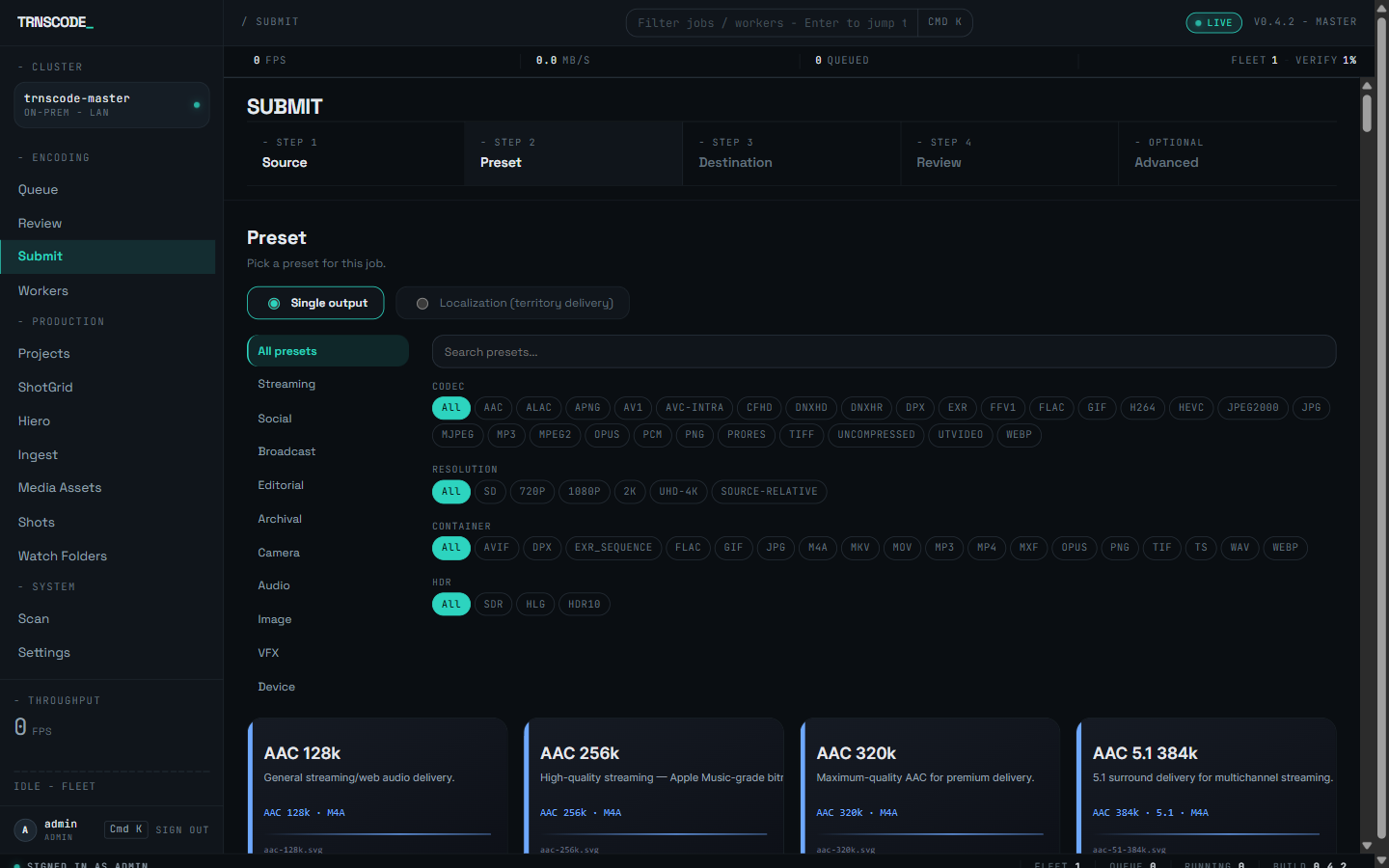
Pick a delivery preset from a searchable gallery — filter by codec, resolution, container or HDR, or just type what you need. One output, or switch to Localization to mux every territory from a single picture encode.

preset gallerycodec & res facetssingle or localizedsource-relative
The Submit Preset step — a category rail, codec, resolution, container and HDR facet chips, a search field, and a grid of preset cards.
Submit · Preset — the searchable delivery gallery
03
— Queue

It lands in
the queue.

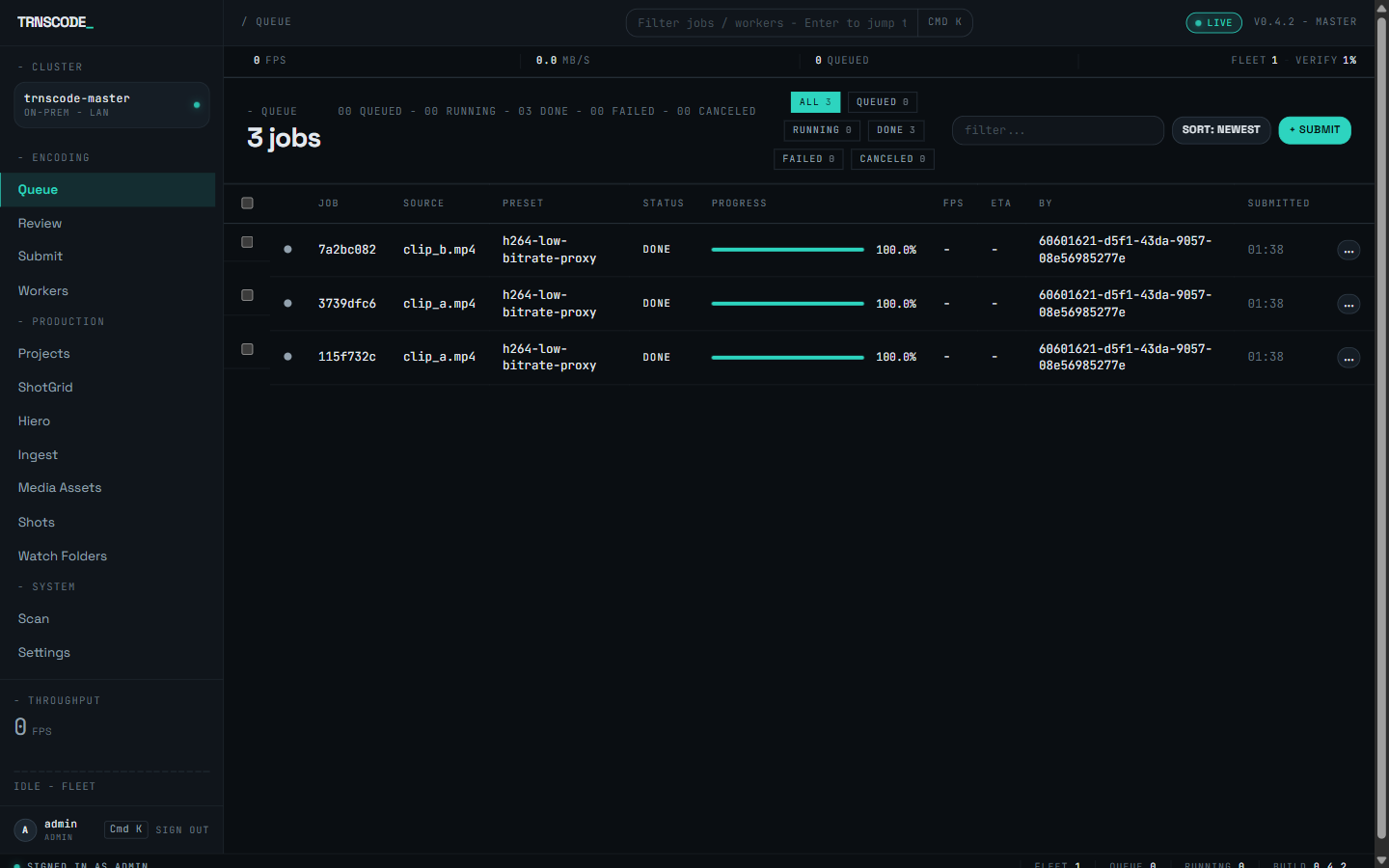
Submit, and the job appears at the top of the queue with a live progress bar, throughput and ETA. Point a watch folder or a whole folder of shots at it and they queue together — each one fanned across the fleet as capacity frees up.

live progressfps & etabatch & watchfair scheduling
The TRNSCODE job queue — jobs listed with source, preset, status and a per-job progress bar.
Queue — every job, live, with progress and ETA
04
— Run

Watch it fan
across the fleet.

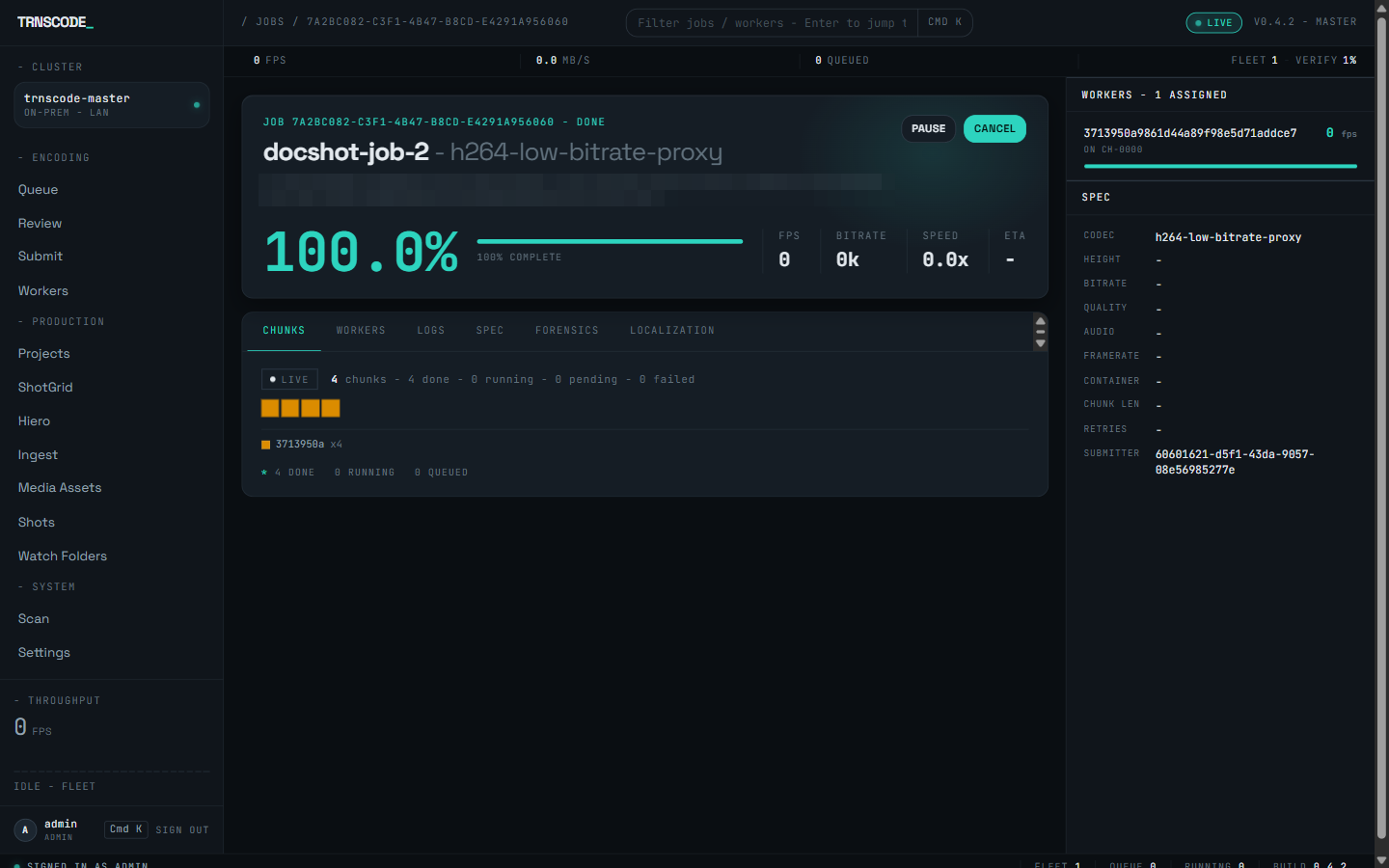
Open a job to see the distributed encode in real time: the master cuts the source into scene-aware chunks, hands each to a worker that can encode it, and rebuilds the master as they land — reassigning any chunk a worker drops and retrying any that drifts.

scene-aware chunkscapability matchauto-rebalance3 retries
A job detail page — a 100% progress readout, a Chunks tab showing chunks completed across a worker, and a spec rail.
Job detail · Chunks — the distributed encode, live
05
— Verify & ship

Ship it with
the evidence.

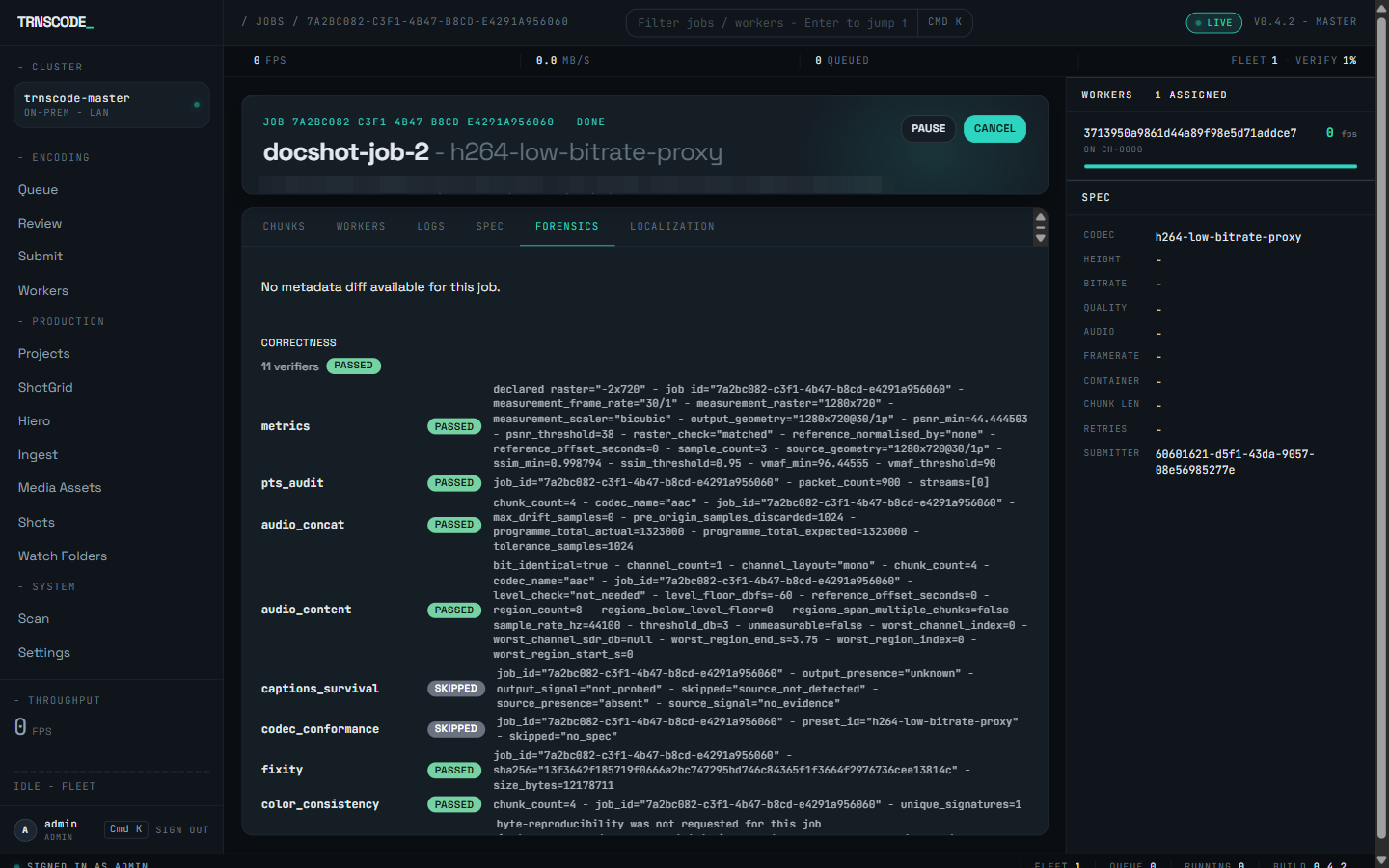
Every finished job carries its proof: eleven verifiers score quality, timing, audio, fixity and lineage, and the results live on the job's Forensics tab — ready to hand to QC or a client. If a chunk ever drifts, it is re-encoded, never shipped.

11 verifierspsnr · ssim · vmaffixity & lineageper-job report
A job's Forensics tab — eleven verifiers listed, most marked PASSED, each with per-verifier measurement detail.
Job detail · Forensics — eleven verifiers, on the record
— Where it fits

One pipeline.
Three ways in.

The same master and fleet serve a self-contained post house, a tracking-system pipeline, and an editorial round-trip. Pick the entry point that matches the way you already work.

01 — Review & ingestNo tracking system

Self-
contained.

Watch folders auto-submit whatever lands in them, one-click ingest turns a shot into its masters, dailies and references, and reviewers approve or reject against a scrubbable preview — slates and burn-ins included. Every deliverable ships with its verification evidence. No ShotGrid required; the console is the pipeline.

drop → encode → review → ship
Watch folders & review →
02 — ShotGrid / FlowTracked pipeline

Driven by
the tracker.

A Flow Production Tracking event triggers ingest on its own: the project resolves to an ingest profile — handles, OCIO colour, EXR codec, preset bundle, slate and burn-in templates — and every shot lands as versioned masters, dailies and references, tracked shot by shot beside the same review queue and QC evidence.

event → profile → shots → versions
ShotGrid / Flow →
03 — NLE round-tripEditorial

Cut, encode,
relink.

Editorial proxies matched to Avid, Premiere, Final Cut and Resolve; a Resolve reattach kit beside every proxy; a Hiero or OTIO timeline exploding into one job per clip; markers and chapters that survive the encode; chunking that aligns to your EDL's cuts. In development: a full Resolve round-trip — submit from the timeline, relink automatically.
proxy → conform → reattach
NLE round-trip →
— The fleet

Workers live
where the
hardware is.

There is no appliance to buy. A worker is a daemon on machines you already own — and most rooms are full of machines that stop working the moment somebody stands up.

— After hours

Edit bays and artist workstations sit idle half the day. Idle-burst keeps a worker gentle while someone is at the desk and opens it up the moment they leave — and an admin can pause or throttle any box live, mid-job.

— Between frames

Render blades that burn all night on frames can carry ingest too. A worker beside the render client turns every blade into an encode node — the two servers that used to bottleneck ingest become the whole rack.

— The old towers

Capability matching means mixed fleets just work: each chunk goes to a box with the right codec and accelerator, and slower machines simply take fewer chunks. Last year's workstations are still throughput.

— Start encoding

Point it at a folder.
Get your frames back.

Install the master, join a worker, submit a job. Self-hosted and free to run on hardware you already own.

Self-hosted · your hardware, your network