Flow / ShotGrid
Listen for new Versions, turn them into ingest jobs, and write the finished deliverables back onto the same Version record.
Flow remains the system of record for shot identity and status. TRNSCODE detects that a Version was created and performs the transcoding work.
The integration does not run, register a route, or contact the Flow site until an administrator explicitly enables it. A default install has no Flow surface at all.
Pipeline overview#
Flow fires a version-created webhook at the master service.
The delivery is verified, the Flow project is mapped to a local project, and that project's ingest profile is read — the same profile the manual wizard uses. The compiler submits the master, the dailies and one job per reference preset, with the derivatives held until the master finishes.
When every deliverable for that shot version reaches a terminal state, four fields on the sameVersion are populated: the reference movie uploaded for Flow's own player, a filesystem path for scrubbing setups, the sequence pattern the comp team opens directly, and a thumbnail.
The integration is a single pipeline, not a synchronization bridge. Nothing else on the Version changes: no status fields, no notes, no custom fields. A job submitted any other way — through the ordinary submit flow, a watch folder or a batch timeline — never contacts Flow.
Key concepts#
Two environment-only secrets
A vault key encrypts every connection's credentials at rest, and a webhook secret is the shared string Flow uses to sign each delivery. Neither can be set through the interface; both live only in the master's environment file.
This separation is by design. The vault key protects ciphertext stored in the database, and storing the key in the same file would defeat the encryption.
If a generated vault key is lost, existing connections cannot be decrypted after a restart and their credentials must be entered again. Store the key with other production secrets, not only in the terminal session where it was generated.
A connection represents a site
Several connections can be registered — for example a sandbox subdomain and the live studio site — but exactly one enabled connection is used for both the inbound webhook and the outbound write-back.
Enabling more than one connection does not fan out. Write-back skips with a logged reason, because the master cannot determine which site a completed shot version belongs to.
Only Flow-originated work writes back
Write-back fires when every deliverable tied to a Flow-triggered ingest reaches a terminal state, not on arbitrary job completion. A job submitted manually against a shot with the same name has no Version to write to and is skipped.
Console surfaces#
The setup panel lives at Settings → Integrations. From it an administrator enables or disables the integration without a restart, generates or pastes the vault key, sees and copies the webhook URL, and tests a connection. The connections panel on the same page lists every registered connection with a per-connection Test button and a sandbox or live badge.
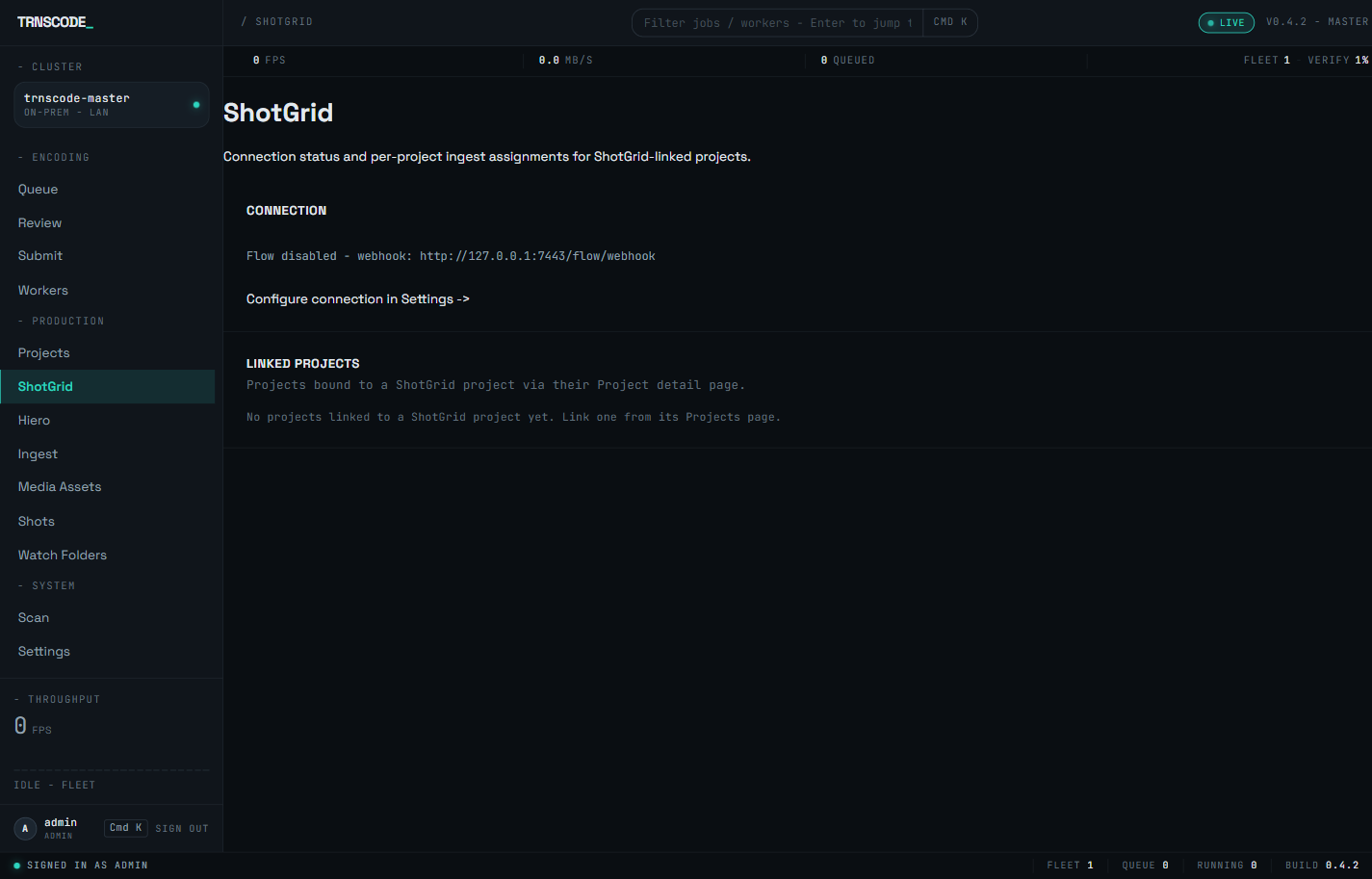
Day-to-day state lives on the dedicated ShotGrid page at /shotgrid, in the Productiongroup of the navigation. It shows the connection status and the webhook URL, and lists the projects bound to a ShotGrid project — the binding itself is set from a project's detail page in the Projects hub.
When the integration is enabled and has recently been failing, a chip appears on the console's landing view. A broken connection is therefore visible without opening the panels; follow the chip to the connections panel and its failure count.
Set up the integration#
Generate the key from the setup panel at Settings → Integrations, or paste one you already hold. A generated key is shown exactly once and never stored. Place it in the master's environment file and restart the service.
After the master starts with the key present, the panel offers to enable the integration. Enabling and disabling thereafter require no restart, and the setting persists across restarts. Disabling preserves the key and every connection.
Enter the site URL plus an API script name and key, with read access on Versions, Shots and Projects and write access on the four fields above. Leave sandbox checked for the first pass. The key is encrypted at rest and never shown again.
Press the connection row's Testbutton. The test decrypts the stored key and calls the site's own info endpoint, reporting either the server version or the underlying error. The row's badge shows sandbox or live; promote to live once a sandbox round-trip completes cleanly.
A webhook carries only a Flow project id, so the master must know which local project it maps to. Bind the project to its Flow counterpart from the project's detail page in the Projects hub, and give it a default ingest profile so a triggered event resolves its policy.
The panel shows the webhook URL, with a copy action, derived from the host the browser reached the master on. Behind a reverse proxy or on a split-horizon network, set TRNSCODE_PUBLIC_BASE_URL so the displayed URL is one Flow can reach. Register the URL against the version-created event with the same webhook secret; every other event type is ignored.
Create a test Version on a shot in the linked project. The ingest jobs appear within seconds, and the four fields populate once the jobs finish.
Missed-webhook reconciliation#
Webhook delivery is not guaranteed. A network interruption, a master restart mid-delivery or a transient error can drop an individual delivery, and Autodesk automatically disables a webhook on their side after enough consecutive failures.
A background reconciler therefore periodically walks the site's event log from the last watermark it processed and replays anything missed through the identical dispatch path a live webhook uses. A dropped delivery still results in an ingest, at a later time.
The reconciler applies the same policy to its own calls: enough consecutive failures against the site disables that connection until an administrator re-enables it, which resets the counter. The connections panel shows the failure count; monitor it before the threshold is reached.
Webhook delivery failures never count against this. Only the reconciler's own outbound calls do.
Operational notes#
- Administrator only. Non-administrators never see the panels, and every route refuses them.
- The webhook route is reachable without a login. Flow cannot authenticate as a TRNSCODE user, so the route accepts unauthenticated requests but requires a valid signature. A missing signature is rejected outright; an invalid one is logged and rejected. Neither is ever dispatched, and neither counts toward auto-disable, so repeated unauthenticated requests cannot disable the integration.
- No per-shot configuration. The identifier that write-back and the reconciler key on is populated automatically from the payload.
- Write-back is best-effort. A missing project link, an API error, or zero-or-multiple enabled connections logs a named reason and continues rather than failing an otherwise successful job.